Bulk PDF Upload and Customer-Based Viewing Solution in Siebel
Introduction
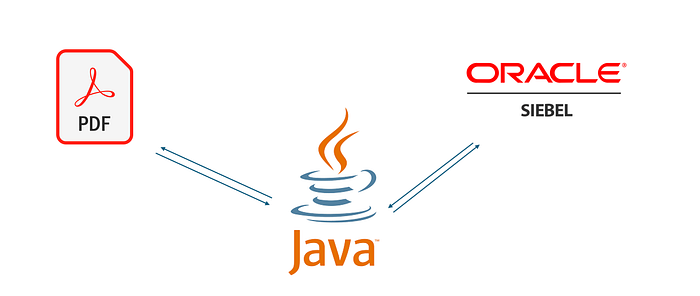
We developed a solution in Siebel CRM that allows users to upload a single PDF containing multiple customer details and, upon querying a specific customer, display only the corresponding PDF page. In this article, we will share the details of the solution and the code used.
Business Requirement
- Users will upload a bulk PDF from the file upload screen.
- Each page of the PDF will belong to a different customer.
- When querying a customer in the information viewing screen, only the relevant PDF page will be displayed.
Solution Approach
To meet this requirement, we implemented the following steps:
- Splitting PDF using Java: We split the uploaded PDF into separate PDF files, one per page.
- Extracting PDF content: Extracted customer numbers from each page and stored them in Siebel.
- Customer-based PDF display: When a customer is queried, the corresponding PDF page is converted to base64 and displayed on the screen.
Implementation Details
1. Splitting PDF Files
When users upload a bulk PDF and click the “Upload” button, the following Java code is executed:
private void processPDF(String pdfFilePath, String outputFolder, String Filename, SiebelPropertySet output) throws SiebelBusinessServiceException {
    try (PDDocument document = PDDocument.load(new File(pdfFilePath))) {
        PDFTextStripper pdfStripper = new PDFTextStripper();

        SiebelPropertySet psParent = new SiebelPropertySet();
        psParent.setType("ResultSet");

        for (int page = 1; page <= document.getNumberOfPages(); page++) {
            pdfStripper.setStartPage(page);
            pdfStripper.setEndPage(page);
            String pageText = pdfStripper.getText(document);

            SiebelPropertySet psChild = new SiebelPropertySet();
            psChild.setType("Result");
            psChild.setProperty("PageNumber", String.valueOf(page));
            psChild.setProperty("PageText", pageText);
            psParent.addChild(psChild);

            // Create a new PDF for each page
            String newPdfName = outputFolder + File.separator + Filename + "_" + page + ".pdf";
            try (PDDocument newDocument = new PDDocument()) {
                newDocument.addPage(document.getPage(page - 1));
                newDocument.save(newPdfName);
            }
        }
        output.addChild(psParent);
    }
}
This code splits the PDF file by pages and saves each page as a separate file.
2. Storing Customer Information in Siebel
We extracted customer numbers from each page using the RegExp(“Sayın\s+[^()]+\((\d+)\)”) regex pattern. The extracted customer number was stored in a database table along with the corresponding page number.
var myRE = new RegExp("Sayın\\s+[^()]+\\((\\d+)\\)");
var results = myRE.exec(pageText);
var ID = results[1];
This process ensured that each customer was linked to the appropriate PDF page.
3. Customer-Based PDF Display
When a customer is queried in the information viewing screen, the corresponding PDF name and page number were retrieved from the database. The file was then converted to base64 and displayed on the screen.
Base64 Encoding in Siebel
var bs = TheApplication().GetService("TTG_Base64_Encoder");
var psIn = TheApplication().NewPropertySet();
var psOut = TheApplication().NewPropertySet();
psIn.SetProperty("sourceFile", fullpath);
oBS.InvokeMethod("base64Encode", psIn, psOut);
var base64string = psOut.GetProperty("base64");
TheApplication().SetProfileAttr("PDF_File_Base_64", base64string);
This step enabled the PDF to be converted into base64 and displayed via the web template.
Displaying PDF with Web Template (HTML)
<!DOCTYPE html>
<html lang="en">
<head>
    <meta charset="UTF-8">
    <script>
        function showPDF() {
            var base64Data = SiebelApp.S_App.GetProfileAttr("PDF_File_Base_64");
            var byteCharacters = atob(base64Data);
            var byteArray = new Uint8Array(byteCharacters.length);
            for (var i = 0; i < byteCharacters.length; i++) {
                byteArray[i] = byteCharacters.charCodeAt(i);
            }
            var file = new Blob([byteArray], { type: 'application/pdf' });
            var fileURL = URL.createObjectURL(file);
            document.getElementById("pdf-container").innerHTML = '<embed src="' + fileURL + '" type="application/pdf" width="100%" height="850px" /> ';
        }
        function checkAndShowPDF() {
            if (document.getElementById("pdf-container")) {
                showPDF();
            } else {
                setTimeout(checkAndShowPDF, 5);
            }
        }
        checkAndShowPDF();
    </script>
</head>
<body>
    <div id="pdf-container"></div>
</body>
</html>
This code displays the base64-encoded PDF when a customer is queried.
Conclusion
This solution successfully enabled bulk PDF upload and customer-based viewing in Siebel CRM. Using Java, Siebel Property Set, BusComp queries, and Web Template integration, we created an efficient and user-friendly system.
For integration projects like this, a solid understanding of PDF processing, text analysis, and data integration is crucial. We hope this article provides valuable insights for developers working on similar Siebel projects!


Yorumlar
Yorum Gönder